
Blog
How to Choose the Best Digital Watch?
A Digital Watch can track a run, show a message, or simply tell time. The right choice depends on which of those jobs matters in your daily routine. A bright display is useful under midday sun; a comfortable strap matters during a long commute. Small details count.
The market is changing, too. Counterpoint Research reported that global smartwatch shipments fell 7% in 2024, the category’s first annual decline. That figure is a useful reminder: popularity alone cannot tell you which watch fits your needs. Counterpoint analyst Anshika Jain’s market commentary points to the value of comparing real features and product segments, rather than choosing by brand alone. This introduction does not treat that market analysis as a personal buying recommendation.
Before comparing models, consider phone compatibility, battery life, water resistance, display readability, and the health features you will actually use. Check whether a watch requires a subscription for any service you need. Think about comfort, too: a heavy case can feel distracting after several hours. And be realistic about health tracking. Wrist sensors can be useful for trends, but they are not a substitute for medical advice.
There is no perfect pick. A budget model may cover the essentials; a premium one may offer tools you rarely open. The following guide will help you weigh those trade-offs, verify specifications, and choose a Digital Watch that suits your habits—not just its feature list.
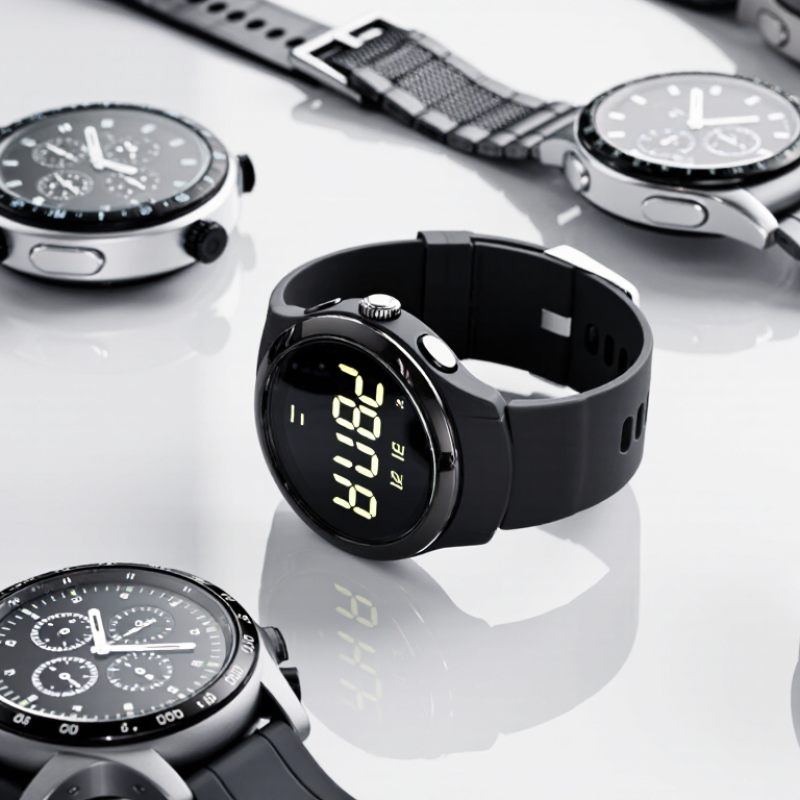
Define Your Needs: Everyday Wear, Sports, Diving, or Smart Features
Choosing a digital watch starts with an ordinary day. For everyday wear, check comfort, screen readability, battery life, and whether the buttons work with damp hands. A lightweight case may feel better under a jacket cuff, while a bright display helps outdoors. Small details matter. Water resistance is not the same as suitability for swimming, so check the maker’s stated use and care guidance.
For sports, match the watch to your activity: GPS can help map a run, while a clear lap timer may be enough for pool sessions. The American College of Sports Medicine’s 2024 Worldwide Survey of Fitness Trends ranked wearable technology first. The World Health Organization recommends adults get 150–300 minutes of moderate aerobic activity each week. Tracking can support a routine, but wrist readings are estimates, not medical measurements. Diving is less forgiving. Look for a watch designed and tested to ISO 6425, and follow its depth and maintenance instructions; a depth number alone does not explain every real-world limit.
Smart features suit people who will use calls, calendar alerts, or contactless functions on the wrist. Check phone compatibility, charging frequency, and which data the watch stores. Not just the screen. Notifications can become distracting, and a feature-rich model may need frequent charging. It is easy to overvalue a long feature list; choosing fewer functions can be the more practical decision.
| Watch Type | Best For | Useful Features | What to Check | Typical Trade-Off |
|---|---|---|---|---|
| Everyday Wear | Daily routines, work, travel, and casual use. | Clear digital display, reliable timekeeping, alarm, stopwatch, timer, backlight, and a comfortable strap. | Choose a case size and weight that feel comfortable. Check the stated water-resistance rating and the maker’s care instructions. | Usually prioritizes simplicity and durability over advanced training or connected features. |
| Sports & Fitness | Running, cycling, gym workouts, hiking, and other training. | Stopwatch, lap or interval timer, activity tracking, and—depending on the model—GPS, heart-rate tracking, or workout modes. | Check GPS availability, battery life with GPS enabled, sensor compatibility, fit during movement, and whether the watch supports your preferred activities. | Frequent GPS use and bright displays can reduce time between charges or battery changes. |
| Diving | Scuba diving or other underwater activities when the watch is specifically designed and rated for them. | For scuba use, look for a purpose-built dive watch with clear underwater legibility and features appropriate to the activity; a dive computer may be more suitable for dive planning and monitoring. | Confirm the watch is explicitly suitable for scuba diving and follow its instructions for depth, buttons, seals, and maintenance. A water-resistance number alone does not establish diving suitability. | Purpose-built dive watches and dive computers may be larger, more specialized, or require regular seal and battery maintenance. |
| Smart Features | People who want phone notifications, connected apps, and broader health or activity tracking. | Depending on the model: notifications, app support, GPS, heart-rate tracking, sleep tracking, contactless payments, and voice controls. | Check phone compatibility, battery life, charging needs, privacy settings, app availability, and which features work without a phone nearby. | Often needs more frequent charging and may rely on a compatible phone or companion app. |
| Water-Resistance Reminder | Water-resistance ratings are based on test conditions and should not be read as a guaranteed safe operating depth. Suitability varies by watch and activity; consult the specific manual before swimming, snorkeling, or diving. | |||
| Quick Decision Guide | Choose everyday wear for simple timekeeping; sports for training tools; a purpose-built dive watch or dive computer for underwater use; and a smartwatch when connected apps and notifications matter most. | |||